Introduction
Social media has become an important part of everyday life. People use platforms such as Facebook, Instagram, TikTok, and other social networking services to communicate with friends, share photographs, watch videos, and discover new information. These platforms offer many benefits, but they also create privacy challenges when personal information is shared without careful consideration.
Every post, photograph, comment, and profile detail can reveal something about your life. Even information that seems harmless, such as your birthday, workplace, daily routine, or vacation plans, may be useful to scammers or people who want to misuse your information.
In my opinion, protecting personal information on social media does not mean you have to stop using these platforms. Instead, it means understanding what you share, who can see it, and how your account settings affect your privacy.
In this guide, I will explain practical ways to protect personal information on social media, improve account security, manage privacy settings, and avoid common online risks. These simple habits can help you enjoy social networking while maintaining greater control over your digital identity.
1. Review Your Social Media Privacy Settings
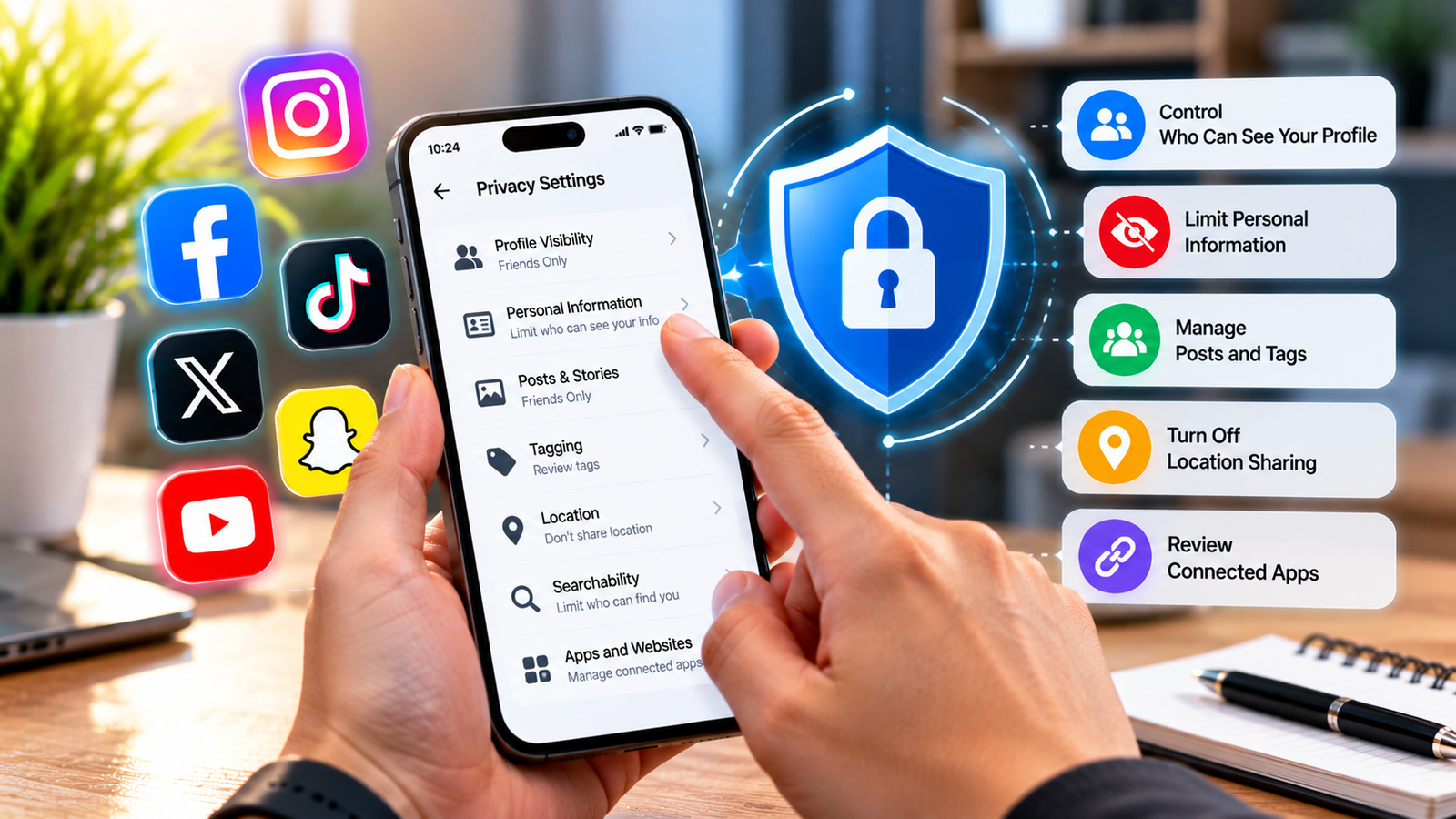
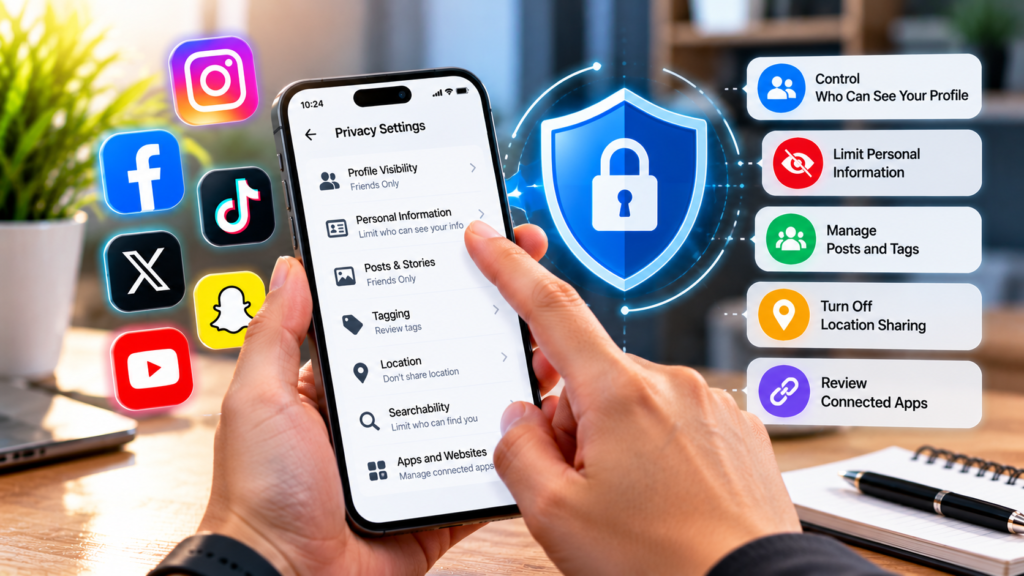
One of the first steps toward better social media privacy is reviewing the settings available on your accounts. Most major platforms provide controls that determine who can see your posts, photographs, profile details, and other information.
Depending on the platform, you may be able to make your account private, restrict your audience, control who can send you messages, and limit how people find your profile.
For example, you may prefer to share personal photographs only with approved followers rather than making them visible to everyone on the internet.
Open the privacy settings of each social media account you use regularly. Review options related to profile visibility, post audiences, tagging, messaging, and search settings.
Do not assume that the default settings provide the level of privacy you want. Platforms may change their features or introduce new settings over time, so reviewing them occasionally is a sensible habit.
Remember that a private account does not guarantee complete privacy. Approved followers can still take screenshots, copy information, or share your content with others.
2. Avoid Sharing Too Much Personal Information
Oversharing is one of the most common social media privacy mistakes. People often share personal details without considering how those details might be used outside their intended audience.
Information such as your full home address, personal phone number, identification documents, financial details, and account recovery information should not be published publicly.
Even details that appear harmless can create risks when combined. For example, your birthday, hometown, workplace, and photographs may help someone build a detailed picture of your identity.
Before publishing a post, ask yourself whether the information is necessary and whether you would feel comfortable if strangers could see it.
You can still share enjoyable experiences without revealing sensitive details. Instead of posting private documents or exact personal information, focus on general updates, hobbies, interests, and experiences that you are comfortable sharing.
Being selective about what you publish helps reduce unnecessary exposure while allowing you to remain active online.
3. Use Strong and Unique Passwords
Your social media password is an important part of your account security. If someone gains access to your account, they may read private messages, impersonate you, contact your friends, or publish content in your name.
Use a strong, unique password for every social media account. Avoid simple combinations based on your name, birthday, phone number, or common words.
A long passphrase made from unrelated words can be easier to remember while remaining difficult to guess when chosen appropriately.
Using the same password across multiple platforms is risky. If one service experiences a data breach, attackers may attempt to use the exposed password on your other accounts.
A reputable password manager can help you generate and store unique passwords securely.
You should also change a password immediately if you believe it has been exposed or someone has accessed your account without permission.
4. Enable Two Factor Authentication
Two factor authentication adds another verification step when someone attempts to sign in to your account. Depending on the platform, this may involve an authenticator app, a security key, a passkey, or a verification code.
This extra protection can make it more difficult for someone to access your account using a stolen password alone.
I recommend enabling two factor authentication on all social media accounts that support it, especially accounts that contain private messages, personal photographs, or business information.
An authenticator app or supported phishing resistant method can provide stronger protection than SMS verification in many situations.
Never share authentication codes with someone who contacts you unexpectedly. Scammers may pretend to be platform support staff and claim that they need your code to secure your account.
Save recovery codes securely and review your account’s recovery options so that you know how to regain access if you lose your phone.
5. Be Careful When Accepting Friend Requests
Not every social media profile represents a genuine person. Some accounts are created to impersonate others, collect personal information, distribute scams, or build trust before making fraudulent requests.
Before accepting a friend or follow request, consider whether you recognize the person and whether the profile appears genuine.
Look for inconsistencies, such as unusual profile information, suspicious links, very recent activity, or messages that immediately request money or private information.
However, a complete profile or large number of followers does not prove that an account is trustworthy. Scammers may copy real photographs and personal details from existing profiles.
If someone claims to be a friend but contacts you from an unfamiliar account, verify their identity through another trusted method.
You do not need to accept every request you receive. Keeping your social network limited to people you know or trust can help reduce unwanted exposure.
6. Think Before Posting Photographs and Videos
Photographs and videos can reveal more information than you might realize. An image may show your home, school, workplace, vehicle registration, travel documents, or other identifying details.
Before uploading a picture, examine the background and check whether it contains anything you would prefer to keep private.
For example, a photograph taken at home might reveal your address through visible mail, a building number, or other identifying information.
Avoid publishing photographs of identification cards, bank cards, boarding passes, confidential documents, or computer screens displaying private account details.
Be considerate when posting photographs of other people, especially children. Ask for permission when appropriate and avoid revealing sensitive information about someone else’s life.
You should also review tagging settings so that other people cannot automatically associate your profile with every photograph or post without your knowledge.
Once a photograph is online, you may not be able to control every copy of it. Taking a moment to review images before sharing them is a valuable privacy habit.
7. Turn Off Unnecessary Location Sharing
Location information can reveal where you live, work, study, or spend your free time. Regularly sharing your exact location may make your movements easier for strangers to track.
Some social media platforms allow users to attach location tags to photographs and posts. Others may offer location based features or request access to your device’s location.
Review location permissions on your smartphone and disable access for applications that do not need it.
Think carefully before posting your real time location, especially when you are away from home. Sharing vacation photographs after returning may reduce the risk of revealing that your home is currently unoccupied.
You should also avoid publicly posting details about your daily routine, such as the exact times you leave home or travel alone.
Location sharing can be useful for certain activities, but it should be limited to situations where you understand the benefits and risks.
8. Watch Out for Phishing Messages and Fake Links
Phishing is a common online scam in which someone pretends to represent a trusted person or organization to obtain sensitive information.
On social media, phishing messages may claim that your account will be suspended, your content has violated a rule, or you need to verify your identity immediately.
The message may include a link to a fake login page designed to steal your password.
Other messages may offer free gifts, unusual investment opportunities, or access to exclusive content in exchange for personal details.
Avoid clicking unexpected links, even when they appear to come from a friend. Their account may have been compromised.
If a message claims that there is a problem with your account, open the platform’s official application or website directly and check your notifications or security settings.
Never provide your password or authentication code through an unfamiliar link or in response to an unexpected message.
9. Review Third Party Apps Connected to Your Accounts
Some social media platforms allow other applications and websites to connect to your account. These services may offer features such as games, photo editing, account analytics, or scheduling tools.
However, connected applications may receive access to certain information depending on the permissions you granted.
Review the list of connected applications in your account settings. Remove services you no longer use or do not recognize.
Before connecting a new application, examine its developer, privacy policy, and requested permissions.
Be particularly careful with services that promise to reveal who viewed your profile, provide unrealistic follower growth, or unlock secret platform features. Such claims may be misleading or designed to collect account information.
If an application requests access that seems unrelated to its purpose, consider whether the service is worth using.
Reducing unnecessary third party access can help you maintain better control over your social media information.
10. Limit Who Can See Your Personal Details
Many social media platforms let you choose who can see specific profile information. You may be able to restrict details such as your phone number, email address, birthday, relationship information, workplace, and friend list.
Review these settings and make sensitive details visible only when necessary.
For example, you may not need to display your full birthday or personal phone number publicly. Similarly, keeping your friend list private can make it harder for strangers to identify your contacts.
Consider limiting who can search for your profile using your email address or phone number, if the platform offers these controls.
You should also review who can tag you, mention you, comment on your posts, or send you direct messages.
These settings can reduce unwanted contact and help prevent strangers from collecting information about you through your profile.
11. Be Careful With Public WiFi and Shared Devices
Social media accounts can be exposed when users sign in on unfamiliar devices or use unsecured networks without taking precautions.
If you access social media from a public computer, avoid saving your password and always sign out before leaving.
Do not allow a shared browser to remember your login information. If you accidentally leave an account open on a device you do not control, sign out remotely through the platform’s account security settings when possible.
When using public WiFi, connect only to networks you trust. Keep your browser and device updated, and use the official social media application or website.
A reputable VPN may help protect network traffic between your device and the VPN provider, but it does not prevent phishing, secure a compromised device, or guarantee privacy from the platform itself.
For sensitive account activity, prioritize trusted devices, secure connections, and strong authentication.
12. Recognize Impersonation and Account Takeover
An impersonation account copies another person’s name, photographs, or profile information to deceive other users. A compromised account, meanwhile, is a genuine account that someone else has gained control of.
Both situations can create privacy and security problems.
Be alert to unexpected messages from friends requesting money, asking for verification codes, or promoting unfamiliar links.
If you believe someone has created a fake profile using your identity, use the platform’s official reporting process. Inform your contacts if the fake account is likely to deceive them.
If your own account appears compromised, change your password using the official website or application, enable two factor authentication, and review active sessions and connected applications.
Sign out unfamiliar devices and check whether the account’s email address, phone number, or recovery information has been changed.
If you cannot access your account, use the platform’s official account recovery process. Avoid third party services that promise account recovery in exchange for your password or payment through unofficial channels.
13. Review Your Old Posts and Digital Footprint
Information you shared years ago may no longer reflect what you want others to know about you.
Old photographs, public comments, location tags, and profile updates can remain accessible long after you have forgotten about them.
Review your previous posts and remove content that reveals unnecessary personal information or that you no longer want to share.
Some platforms provide tools for reviewing old activity, limiting the audience of past posts, or downloading account information.
You can also check whether your profile appears in public searches and adjust visibility settings where possible.
Remember that deleting a post does not guarantee that every copy disappears. Someone may have saved a screenshot or shared the content elsewhere.
Regularly reviewing your digital footprint can help you maintain a social media presence that better reflects your current privacy preferences.
14. Teach Family Members About Social Media Privacy
Social media privacy is important for people of all ages. Family members may have different levels of experience with online scams, privacy settings, and account security.
Discuss basic safety habits with children, teenagers, and older relatives who use social networking platforms.
Encourage them to avoid sharing home addresses, school details, passwords, financial information, and private photographs with strangers.
Explain that online contacts are not always who they claim to be and that unexpected requests for money or verification codes should be checked independently.
For younger users, review age appropriate privacy settings and available parental controls. Help them understand how to report suspicious accounts and block unwanted contact.
A supportive approach makes it easier for family members to ask questions when something online feels uncomfortable or suspicious.
15. Create a Simple Social Media Privacy Routine
Maintaining privacy does not require checking every setting every day. A simple routine can help you stay organized and identify problems early.
Once every few months, review your privacy settings, connected applications, active sessions, and account recovery information.
When you publish something new, consider whether the audience is appropriate and whether the content reveals sensitive details.
Before accepting requests from unfamiliar people, check their identity. Before clicking links, consider whether the message is genuine.
Keep your applications updated and use strong, unique passwords with two factor authentication.
If a platform introduces new privacy features, take a few minutes to understand how they work.
These small actions can become part of your normal social media use and help reduce unnecessary exposure of personal information.
Conclusion
Protecting personal information on social media is an important part of maintaining online privacy and security. Although social networking platforms make communication and sharing easier, they can also expose personal details when privacy settings are ignored or information is shared without careful consideration.
In my opinion, the most effective approach is to share thoughtfully, review account settings regularly, and protect every account with strong security measures. Avoid publishing sensitive information, limit location sharing, use unique passwords, and enable two factor authentication wherever possible.
You should also be careful when accepting friend requests, opening unfamiliar links, connecting third party applications, and sharing photographs that reveal private details.
Remember that privacy settings cannot prevent every form of misuse, and information shared online may be copied or redistributed. However, making informed decisions about what you share and who can access it can significantly improve your control over your digital identity.
By developing these simple habits, you can enjoy social media while taking practical steps to protect your personal information and maintain a safer online presence.